SafestHires: Placing Orders
Placing orders on the SafestHires platform.
Summary
This walkthrough shows the two ways to place a background check order in the SafestHires platform. The fastest path is the Applicant Quick Invite widget on the dashboard, where you enter the candidate's name and email, choose a package, and the candidate completes their own information, disclosures, and e-signed consent. A manual online order path is also covered for teams that collect consent themselves, along with the option to order directly from an ATS or onboarding system.
What this video covers
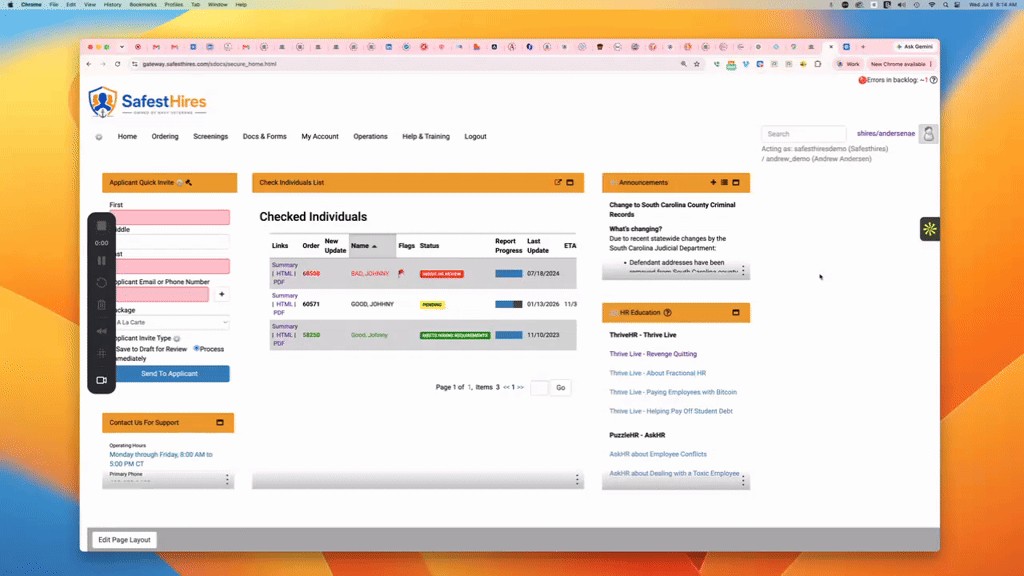
- Use the Applicant Quick Invite widget in the upper-left of the dashboard for the fastest order.
- Enter the candidate's first name, last name, and email, select a screening package, then click Send to Applicant.
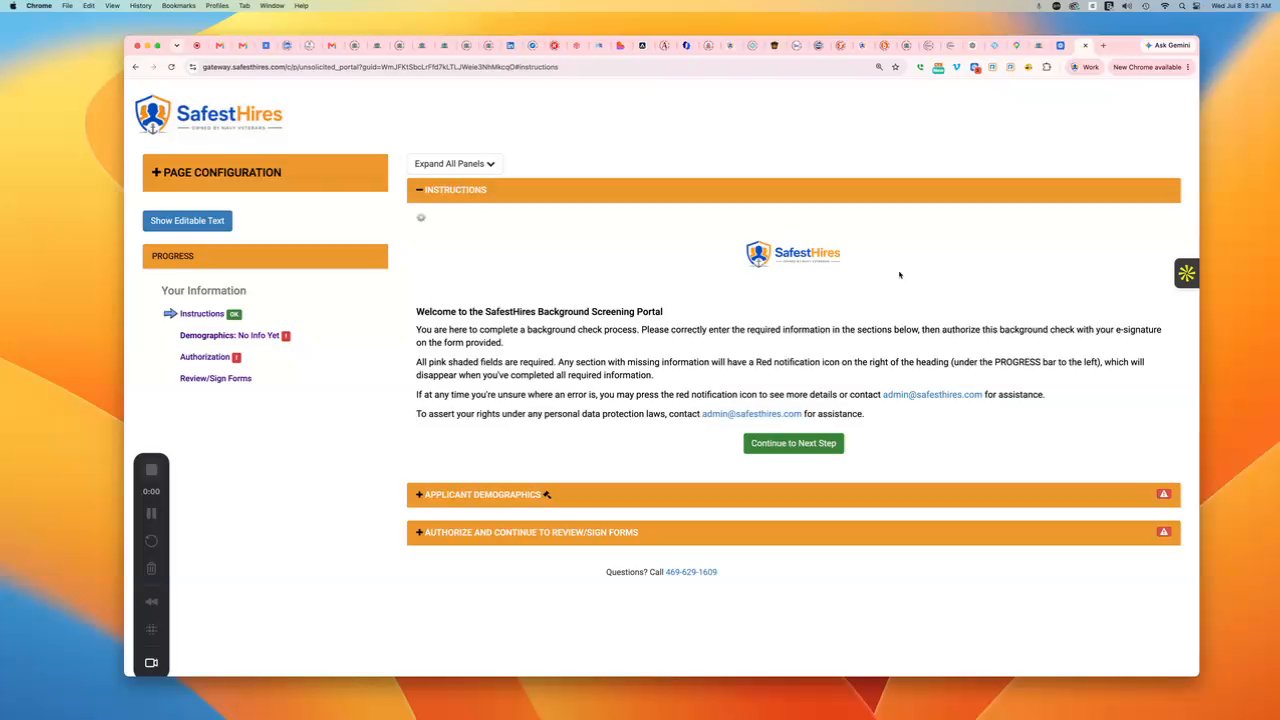
- The candidate receives an emailed link, enters their required information, reviews the legally required disclosures, and electronically signs their consent form.
- For manual orders, go to Ordering > Online Order, select a package, complete the required fields, check the confirmation box, and submit.
- SafestHires supports roughly 60 integrations, so orders can also be initiated from your applicant tracking or onboarding system.
Full transcript
Machine transcript of the video above, lightly edited for readability.
Welcome to the SafestHires background screening portal. In this video, we will show you how to place an order using the SafestHires platform. We are currently looking at the home screen. You can see that there's a menu at the top of the home screen or dashboard.
And then below that, there are different sections that we call widgets, which are marked by these orange bars with the word widgets. So to place an order, the easiest and fastest way is to come here to the upper left corner of the screen and use the applicant quick invite widget. So you would enter your candidates. First name, last name, and email address, and then you would select your background check package from this dropdown, and then you would click this blue button, send to applicant.
When you do that, the system will send an email to the candidate with some instructions and a hyperlink. They will click on the link, and that brings them into our portal, where they will be prompted to enter certain pieces of information that are required to process their background. check. We will then take them through a series of legally required disclosure forms, and they will electronically sign their consent form.
And that is the easiest and fastest way to place an order. If you're inclined to do manual orders, where you share the disclosures with the candidate in advance, and you have them electronically, or rather, you have them sign a consent form and then send it back. to you, there's a workflow for that as well. You would come here to the top menu item that says Ordering, and you would select Online Order.
And then here, you would select your background check package. And then you would go through the various sections, entering the candidate's information in the pink Required Fields, and then at the very bottom, you would check this box, and submit the order. Those are the fastest and easiest ways to place an order in the SafestHires platform. if you would prefer to initiate orders from inside your tracking system or onboarding system, we can typically accommodate that because we have approximately 60 integrations with those types of platforms.
Thank you very much.